
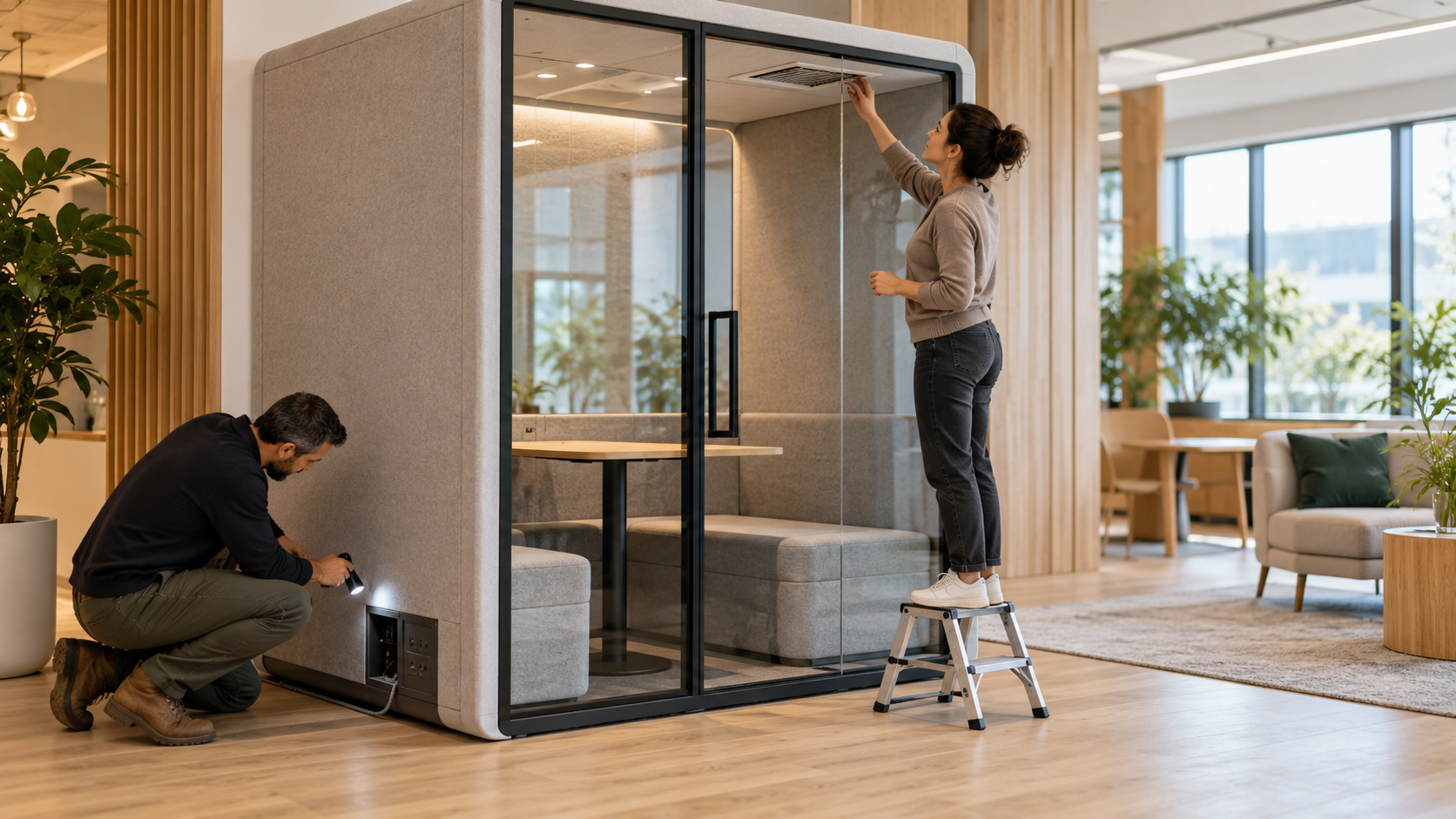
An office pod is not a set-and-forget purchase. Once it arrives, its value depends on how well it is placed, powered, ventilated, maintained, and incorporated into the working day.
That is good news for workplace teams: many of the factors that shape user satisfaction are operational decisions within their control. A thoughtful handover can turn a pod into a trusted shared resource. A rushed installation can leave a perfectly capable product underused, uncomfortable, or difficult to manage.
This checklist provides a practical framework for moving from product selection to everyday use.
Choose locations based on observed behavior
Start with how the office is already being used. Watch where people take calls, where noise builds up, which meeting rooms are repeatedly occupied by one person, and where employees go when they need a quieter setting.
Pods are usually most useful near the teams that need them, but they should not be dropped into the busiest possible route. A location beside a main entrance, kitchen queue, printer area, or active collaboration zone may undermine the sense of privacy users expect. Conversely, a pod placed too far from everyday work can feel inconvenient and become a last resort rather than a normal part of the office.
Consider door direction, nearby walkways, natural light, and whether the location gives users a comfortable way to enter and leave. Discuss building, safety, and accessibility considerations with the relevant facilities and building professionals rather than assuming one layout will suit every workplace.
Check ventilation before the first busy day
Ventilation should be treated as an operating requirement, not a specification to file away after purchase. Review the manufacturer’s guidance for the particular model, including any requirements for power, servicing, airflow clearance, and intended use.
During installation, make sure vents, intakes, and outlets are not obstructed by walls, storage, furniture, packaging, or improvised accessories. Check that users can sit comfortably without blocking essential airflow. If the pod will be used for longer focused work as well as short calls, test it in realistic conditions rather than relying on a quick inspection when it is empty.
Assign someone to report issues such as unusual fan noise, stale air, damage, or changes in comfort. This does not need to be complicated: a clear facilities contact or reporting channel is usually enough. What matters is that concerns are noticed early instead of becoming accepted as normal.

Plan power and connectivity deliberately
Power is often where otherwise good installations become frustrating. Confirm where the pod will connect, how cables will be routed, and who is responsible for electrical work. The final setup should be tidy, stable, and appropriate for the equipment people will use.
Test the pod with normal devices: company laptops, chargers, external webcams if relevant, and the video-call platforms employees rely on. Users should not have to bring extension leads, move loose cables around the entrance, or discover after sitting down that the charging point is inaccessible.
Connectivity also deserves a real-world check. A pod may be acoustically suitable for calls but still be located in an area with inconsistent wireless coverage. Ask people to join calls, share screens, and use typical headsets from inside the completed installation. If an issue appears, it is much easier to address before the pod becomes part of the daily booking routine.
Treat installation handover as a formal step
When the pod is installed, record its condition and collect the essential information in one place. This should include product documentation, warranty details, installation records, care guidance, relevant service contacts, and instructions for replacement parts or adjustments.
A short handover checklist can cover the basics:
- Doors, seals, lighting, ventilation, and power have been checked.
- The pod is stable, clean, and free from installation debris.
- Users know how to report faults or damage.
- Facilities knows where the operating and warranty information is stored.
- The pod has been tested with a real video call.
- The planned booking or usage approach is ready before launch.
This prevents a common problem: everyone assumes someone else owns the pod once the installer leaves.
Build care into ordinary facilities routines
Pods receive intensive use in a small space. Create a simple care routine that matches the model’s instructions and the office’s cleaning standards. Pay attention to surfaces people touch, the work surface, seating, door hardware, vents, and exposed power connections.
Avoid using cleaning products or repair methods that are not suitable for the materials involved. If something becomes loose, damaged, noisy, or difficult to operate, log it promptly. Small issues are easier to address before they affect user confidence or cause a pod to be taken out of service.
Give employees a clear shared-use model
Operational success is partly social. Decide whether the pod is bookable, first-come first-served, or intended for a particular purpose. Explain the approach simply and consistently. If calls tend to overrun, build flexibility into the system rather than assuming users will resolve conflicts themselves.
The best guidance is practical: use the pod when you need a quieter, more private setting; leave it ready for the next person; end a booking when you finish; and report issues early. This encourages considerate behavior without making the space feel over-managed.
Review the setup after real use
After the first period of use, ask what is working and what is not. Are pods in the right places? Are certain times oversubscribed? Is the booking system helping or creating friction? Do users have enough power, comfort, privacy, and confidence to rely on the space?
A pod program should evolve with the office. Small changes to location, guidance, cleaning, support, or booking can materially improve everyday value.